2012年12月2日 星期日

A Cute Game Super Baby Pig


iOS:
Android:
Youtube:

There was a beautiful and peaceful planet in the other space which paralleled our space.
Everyone on this planet lived happily under super baby pig’s protection.
One day, an evil organization from other space intruded this planet and destroyed it.
Heroical super baby pig stood and fought for people’s happiness.
However, the devil had special power which could depress super baby pig’s super power.
Super baby pig cooperated with the scientists to send signals to our earth through special communicator and hope earthmen could assist super baby pig through smart phone.
Please turn on your smart phone and enter the world of super baby pig!
Super baby pig was waiting for the assistance from the friends of earth.
Super baby pig and scientists had found four bad guys currently but the bad guys used technology to seal off the area.  Super baby pig and scientists tried their great effort to unlock an area and had to collect the blue energy money while chasing the bad guys in order to have enough power to destroy their protection cover and unlock more areas.
According to the scientists’ investigation, the bad guys were riding heavy –duty motorcycles and wreaking in the desert area.  Please help super baby pig to arrest them, friends from earth!
Super baby pig’s planet had consumed the most of resources to defend the bad buys.  Please supply resources to help super baby pig protect their planet if earthmen wanted.

There was a beautiful place called Taiwan on the earth.  A beautiful girl was wakeful and wanted to play games.
Mira:『So boring and wakeful. Let’s play some games.』
Mira:『Mm……What to play?』
Mira:『What’s it? SOS?』
Mira:『Let me see what it is. How come there is SOS from my smart phone.』
BabyPig:『Hello, it’s super baby pig. Our planet was intruded and we need your help.』
Mira:『Hello, super baby pig. How can I help you?』
BabyPig:『Our scientist developed a game which is slotted on App Store and Google Play. You can use the game to help me.』
Mira:『Ok, let me download it.』
Mira:『I found it. That’s it.』
BabyPig:『Thank you. Please give me indications to help me fight the bad guys.』
Mira:『The bad guy is so formidable. What should I do?』
BabyPig:『You can get the blue energy money from the store and use it to make baby’s bottle which can recover my super power for short period.』
Mira:『Let me check. I found it. That’s it. Let’s try again.』
Mira:『Yeah! I passed it and arrested the bad buy. Super baby pig is so cute. Let’s play this cute game together!』

2011年8月29日 星期一

Cross-platform game engine CloudBox

Cross-platform game engine CloudBox was ported to Android!!!
Now the CloudBox can run in Android or iOS!


2011年6月8日 星期三

[C#] Generic Singleton Pattern

C# singleton pattern with generic.
Why need using generic singleton?
If we use an interface named ISingleton, and provide an Instance property, we must implement in all derived class.
Or we need to provide Instance property in all singleton class.
That is a trouble, so we use generic to solute it
Because singleton need provide private or protected constructor, so we can't use new T() in generic singleton pattern.
So we need to use reflection to call constructor.
using System;
using System.Collections.Generic;
using System.Text;
using System.Reflection;

namespace DesignPattern
{
public class TSingleton<T> where T : class
{
static object SyncRoot = new object();
static T instance;
public static readonly Type[] EmptyTypes = new Type[0];
public static T Instance
{
get
{
if (instance == null)
{
lock (SyncRoot)
{
if (instance == null)
{
ConstructorInfo ci = typeof(T).GetConstructor(BindingFlags.NonPublic | BindingFlags.Instance, null, EmptyTypes, null);
if (ci == null) { throw new InvalidOperationException("class must contain a private constructor"); }
instance = (T)ci.Invoke(null);
//instance = Activator.CreateInstance(typeof(T)) as T;
}
}
}
return instance;
}
}
}
}

[iPhone] print all keys/values in info.plist

// get all keys and values in info.plist
NSBundle* mainBundle = [NSBundle mainBundle];
NSDictionary* infoDictionary = [mainBundle infoDictionary];
id key;
NSArray* keys = [infoDictionary allKeys];
NSLog(@"Display all keys and values in info.plist\n");
for(key in keys)
{
NSLog(@"key=%@ , value=%@\n",key,[infoDictionary objectForKey:key]);
}

2011年3月11日 星期五

[C#] Multi-thread delete file sample

just boring..

using
System;
using System.Collections.Generic;
using System.Text;
using System.Threading;
using System.IO;

namespace WPFTest
{
class Range
{
int m_start;
int m_end;
public Range(int start,int end)
{
m_start = start;
m_end = end;
}
public int Start
{
get { return m_start; }
set { m_start = value; }
}
public int End
{
get { return m_end; }
set { m_end = value; }
}
}

class Orz
{
List<string> m_delNameList;
List<Range> m_RangeList;
int m_threadCount;
Orz(){}
public Orz(List<string> delList,int threadCount)
{
m_delNameList = delList;
m_threadCount = threadCount;
m_RangeList = new List<Range>();
}
public void Start()
{
int count = m_delNameList.Count / m_threadCount;
for(int i = 0; i < m_threadCount ; i++)
{
Thread t = new Thread(new ThreadStart(DeleteProc));
t.Name = i.ToString();
m_RangeList.Add(new Range(i * count, (i + 1) * count));
t.Start();
}
}

void DeleteProc()
{
int index = Convert.ToInt32(Thread.CurrentThread.Name);
Range range = m_RangeList[index];
for (int i = range.Start; i < (index == m_threadCount-1 ? m_delNameList.Count : range.End); i++)
{
File.Delete(m_delNameList[i]);
}
}
}
}

2011年1月27日 星期四

[IPhone] Toilet War!!!!!

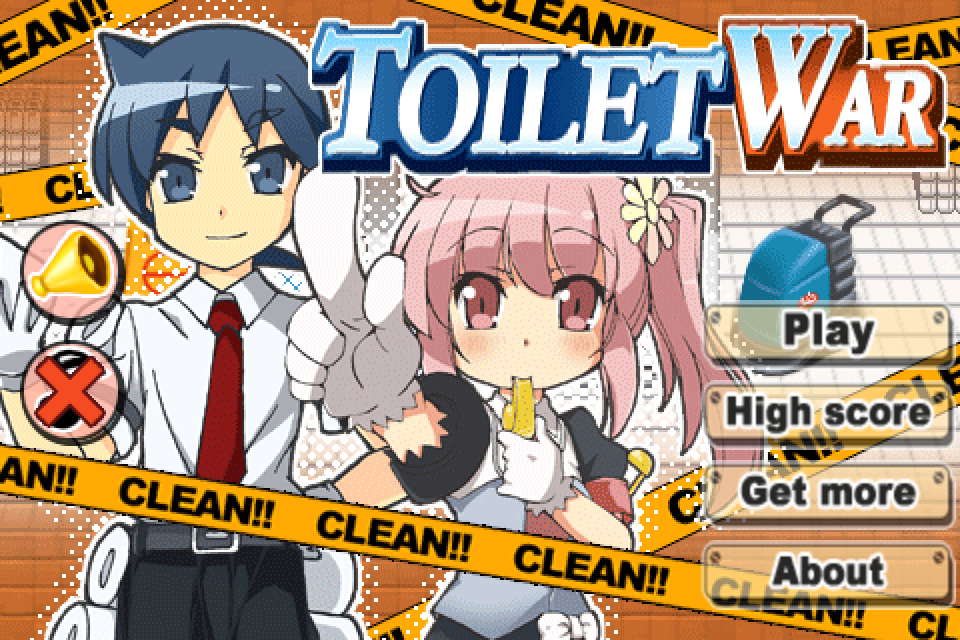
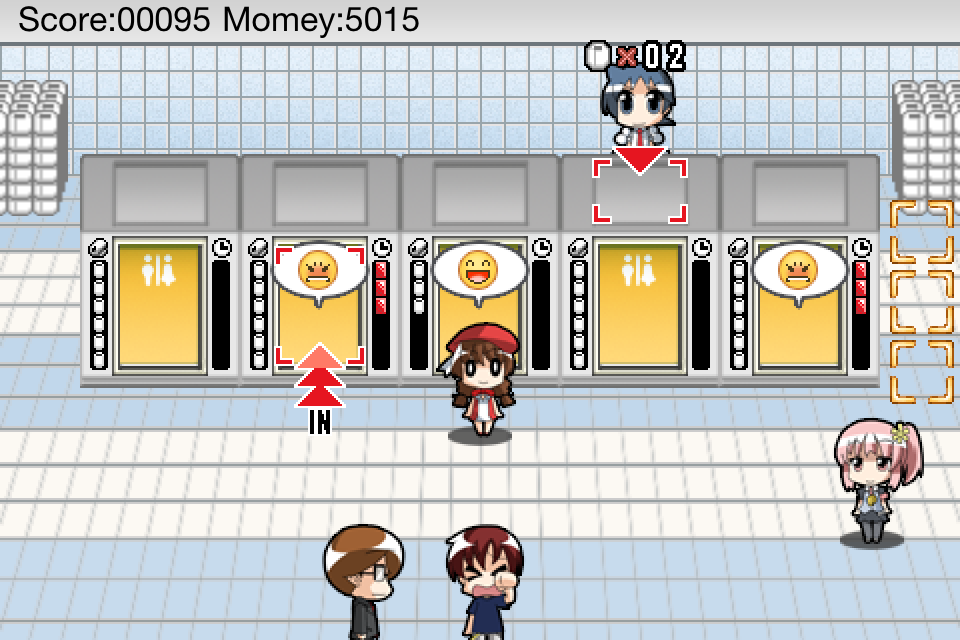
This is a game that simulate the roles - Janitor and Usher to manage people to use the toilet. The Janitor will supplies the paper when people leave the toilet and paper be used. The Usher will arrange people line up go into toilet. Good luck and have fun!!

iTunes:
http://itunes.apple.com/us/app/toilet-war/id415891931?mt=8


2011年1月17日 星期一

[IPhone] Show AdMob when iAD not filled

This sample code is demo when iAD not fill show AdMob.

CloudBoxControler.h

#import <UIKit/UIKit.h>
#import <iAd/iAd.h>

#import "AdMobDelegateProtocol.h"

@class AdMobView;

@interface CloudBoxControler : UIViewController <ADBannerViewDelegate,AdMobDelegate>
{
CloudBoxMainView* m_MainView;
NSTimer* m_Timer;

ADBannerView *banner;
AdMobView *adMobAd;
bool m_isShowiAD;
int count;
}
- (void) initGameWrold;
- (void) update: (NSTimer*) timer;
-(void)createADBannerView;
-(void)layoutForCurrentOrientation:(BOOL)animated;

@property(nonatomic, retain) ADBannerView *banner;

@end


CloudBoxControler.m

#import "CloudBoxControler.h"
#import "HelloScene.h"
#import "AdMobView.h"

@implementation CloudBoxControler

@synthesize banner;
/*
// The designated initializer. Override if you create the controller programmatically and want to perform customization that is not appropriate for viewDidLoad.
- (id)initWithNibName:(NSString *)nibNameOrNil bundle:(NSBundle *)nibBundleOrNil {
if (self = [super initWithNibName:nibNameOrNil bundle:nibBundleOrNil]) {
// Custom initialization
}
return self;
}
*/


// Implement loadView to create a view hierarchy programmatically, without using a nib.
- (void)loadView {
// --- get full screen rect --- //
CGRect t_FullScreenRect = [[UIScreen mainScreen] bounds];
// --- initial main view --- //
m_MainView = [[CloudBoxMainView alloc]initWithFrame:t_FullScreenRect];

self.view = m_MainView;
[m_MainView release];
[self initGameWrold];

m_isShowiAD = NO;

adMobAd = [AdMobView requestAdWithDelegate:self]; // start a new ad request
[adMobAd retain]; // this will be released when it loads (or fails to load)

count = 0;
if(banner == nil)
{
[self createADBannerView];
}
}


// Implement viewDidLoad to do additional setup after loading the view, typically from a nib.
- (void)viewDidLoad {

[super viewDidLoad];
}

- (void) initGameWrold
{
// --- initial timer --- //
m_Timer = [NSTimer scheduledTimerWithTimeInterval: 0.01
target: self // set controler to this
selector: @selector(update:) // set event to update
userInfo: nil
repeats: YES];
}


// --- timer tick event --- //
- (void) update: (NSTimer*) timer
{
count++;
if (adMobAd != nil) {
[adMobAd.superview bringSubviewToFront:adMobAd];
}
[self.banner bringSubviewToFront:self.banner];
if(count > 2000)
{
if(!m_isShowiAD)
{
if(adMobAd != nil)
{
adMobAd.hidden = NO;
[adMobAd requestFreshAd];
}
else
{
adMobAd = [AdMobView requestAdWithDelegate:self]; // start a new ad request
[adMobAd retain]; // this will be released when it loads (or fails to load)
}
}
else {
if(adMobAd != nil)
{
adMobAd.hidden = YES;
}
}
count = 0;
}

// --- let timer can check touch --- //
[[NSRunLoop currentRunLoop] runUntilDate: [NSDate distantPast]];
}

// Override to allow orientations other than the default portrait orientation.
- (BOOL)shouldAutorotateToInterfaceOrientation:(UIInterfaceOrientation)interfaceOrientation {
// Return YES for supported orientations
// setting default coordinate
return (interfaceOrientation == UIDeviceOrientationPortrait);
}

- (void)didReceiveMemoryWarning {
// Releases the view if it doesn't have a superview.
[super didReceiveMemoryWarning];

// Release any cached data, images, etc that aren't in use.
}

- (void)viewDidUnload {
// Release any retained subviews of the main view.
// e.g. self.myOutlet = nil;
banner.delegate = nil;
self.banner = nil;
}


- (void)dealloc {
banner.delegate = nil;
[banner release]; banner = nil;
[adMobAd release];
[m_Timer release];
[m_MainView release];
[super dealloc];
}

-(void)createADBannerView
{
// --- WARNING ---
// If you are planning on creating banner views at runtime in order to support iOS targets that don't support the iAd framework
// then you will need to modify this method to do runtime checks for the symbols provided by the iAd framework
// and you will need to weaklink iAd.framework in your project's target settings.
// See the iPad Programming Guide, Creating a Universal Application for more information.
// http://developer.apple.com/iphone/library/documentation/general/conceptual/iPadProgrammingGuide/Introduction/Introduction.html
// --- WARNING ---

// Depending on our orientation when this method is called, we set our initial content size.
// If you only support portrait or landscape orientations, then you can remove this check and
// select either ADBannerContentSizeIdentifier320x50 (if portrait only) or ADBannerContentSizeIdentifier480x32 (if landscape only).
NSString *contentSize = UIInterfaceOrientationIsPortrait(self.interfaceOrientation) ? ADBannerContentSizeIdentifier320x50 : ADBannerContentSizeIdentifier480x32;

// Calculate the intial location for the banner.
// We want this banner to be at the bottom of the view controller, but placed
// offscreen to ensure that the user won't see the banner until its ready.
// We'll be informed when we have an ad to show because -bannerViewDidLoadAd: will be called.
CGRect frame;
frame.size = [ADBannerView sizeFromBannerContentSizeIdentifier:contentSize];
frame.origin = CGPointMake(0.0, CGRectGetMaxY(self.view.bounds));

// Now to create and configure the banner view
ADBannerView *bannerView = [[ADBannerView alloc] initWithFrame:frame];
// Set the delegate to self, so that we are notified of ad responses.
bannerView.delegate = self;
// Set the autoresizing mask so that the banner is pinned to the bottom
bannerView.autoresizingMask = UIViewAutoresizingFlexibleWidth | UIViewAutoresizingFlexibleHeight | UIViewAutoresizingFlexibleTopMargin;
// Since we support all orientations in this view controller, support portrait and landscape content sizes.
// If you only supported landscape or portrait, you could remove the other from this set.
bannerView.requiredContentSizeIdentifiers = [NSSet setWithObjects:ADBannerContentSizeIdentifier320x50, ADBannerContentSizeIdentifier480x32, nil];

// At this point the ad banner is now be visible and looking for an ad.
[self.view addSubview:bannerView];
self.banner = bannerView;
[bannerView release];
}

-(void)layoutForCurrentOrientation:(BOOL)animated
{
CGFloat animationDuration = animated ? 0.2 : 0.0;
// by default content consumes the entire view area
CGRect contentFrame = self.view.bounds;
// the banner still needs to be adjusted further, but this is a reasonable starting point
// the y value will need to be adjusted by the banner height to get the final position
CGPoint bannerOrigin = CGPointMake(CGRectGetMinX(contentFrame), CGRectGetMaxY(contentFrame));
CGFloat bannerHeight = 0.0;

// First, setup the banner's content size and adjustment based on the current orientation
if(UIInterfaceOrientationIsLandscape(self.interfaceOrientation))
{
banner.currentContentSizeIdentifier = ADBannerContentSizeIdentifier480x32;
bannerHeight = 32.0;
}
else
{
banner.currentContentSizeIdentifier = ADBannerContentSizeIdentifier320x50;
bannerHeight = 50.0;
}

// Depending on if the banner has been loaded, we adjust the content frame and banner location
// to accomodate the ad being on or off screen.
// This layout is for an ad at the bottom of the view.
if(banner.bannerLoaded)
{
contentFrame.size.height -= bannerHeight;
bannerOrigin.y -= bannerHeight;
}
else
{
bannerOrigin.y += bannerHeight;
}

// And finally animate the changes, running layout for the content view if required.
[UIView animateWithDuration:animationDuration
animations:^{
//self.view.frame = contentFrame;
[self.view layoutIfNeeded];
banner.frame = CGRectMake(bannerOrigin.x, bannerOrigin.y, banner.frame.size.width, banner.frame.size.height);
}];
}

-(void)bannerViewDidLoadAd:(ADBannerView *)banner
{
m_isShowiAD = YES;
self.banner.hidden = NO;
[self layoutForCurrentOrientation:YES];
if(adMobAd != nil)
{
adMobAd.hidden = YES;
}
}

-(void)bannerView:(ADBannerView *)banner didFailToReceiveAdWithError:(NSError *)error
{
m_isShowiAD = NO;
self.banner.hidden = YES;
[self layoutForCurrentOrientation:YES];
}

-(BOOL)bannerViewActionShouldBegin:(ADBannerView *)banner willLeaveApplication:(BOOL)willLeave
{
return YES;
}

-(void)bannerViewActionDidFinish:(ADBannerView *)banner
{
}

#pragma mark -
#pragma mark AdMobDelegate methods

- (NSString *)publisherIdForAd:(AdMobView *)adView {
return @"a14d31d9a5345d6"; // this should be prefilled; if not, get it from www.admob.com
}

- (UIViewController *)currentViewControllerForAd:(AdMobView *)adView {
return self;
}

- (UIColor *)adBackgroundColorForAd:(AdMobView *)adView {
return [UIColor colorWithRed:0.271 green:0.592 blue:0.247 alpha:1]; // this should be prefilled; if not, provide a UIColor
}

- (UIColor *)primaryTextColorForAd:(AdMobView *)adView {
return [UIColor colorWithRed:1 green:1 blue:1 alpha:1]; // this should be prefilled; if not, provide a UIColor
}

- (UIColor *)secondaryTextColorForAd:(AdMobView *)adView {
return [UIColor colorWithRed:1 green:1 blue:1 alpha:1]; // this should be prefilled; if not, provide a UIColor
}

// To receive test ads rather than real ads...

// Test ads are returned to these devices. Device identifiers are the same used to register
// as a development device with Apple. To obtain a value open the Organizer
// (Window -> Organizer from Xcode), control-click or right-click on the device's name, and
// choose "Copy Device Identifier". Alternatively you can obtain it through code using
// [UIDevice currentDevice].uniqueIdentifier.
//
// For example:
// - (NSArray *)testDevices {
// return [NSArray arrayWithObjects:
// ADMOB_SIMULATOR_ID, // Simulator
// //@"28ab37c3902621dd572509110745071f0101b124", // Test iPhone 3GS 3.0.1
// //@"8cf09e81ef3ec5418c3450f7954e0e95db8ab200", // Test iPod 2.2.1
// nil];
// }

// - (NSArray *)testDevices {
// return [NSArray arrayWithObjects: ADMOB_SIMULATOR_ID,@"28ab37c3902621dd572509110745071f0101b124", nil];
// }
//
// - (NSString *)testAdActionForAd:(AdMobView *)adMobView {
// return @"url"; // see AdMobDelegateProtocol.h for a listing of valid values here
// }


// Sent when an ad request loaded an ad; this is a good opportunity to attach
// the ad view to the hierachy.
- (void)didReceiveAd:(AdMobView *)adView {
NSLog(@"AdMob: Did receive ad");
if(m_isShowiAD)
return;
// get the view frame
CGRect frame = self.view.bounds;

// put the ad at the bottom of the screen
if(UIInterfaceOrientationIsLandscape(self.interfaceOrientation))
{
// put in right bottom
adMobAd.frame = CGRectMake(160, frame.size.height - 48, 320, 48);
}
else
{
adMobAd.frame = CGRectMake(0, frame.size.height - 48, 320, 48);
}

[self.view addSubview:adMobAd];
adMobAd.hidden = NO;
[adMobAd.superview bringSubviewToFront:adMobAd];
}

// Sent when an ad request failed to load an ad
- (void)didFailToReceiveAd:(AdMobView *)adView {
NSLog(@"AdMob: Did fail to receive ad");
[adMobAd removeFromSuperview]; // Not necessary since never added to a view, but doesn't hurt and is good practice
[adMobAd release];
adMobAd = nil;
// we could start a new ad request here, but in the interests of the user's battery life, let's not
}

@end

2010年12月29日 星期三

[iPhone] Toilet War coming soon!!

New game Toilet War coming soon!
Producer & Director: TS Huang
Architect & Chief programmer: Cloud Hsu
Programmer: Joe Huang
Arts:
FLYKING
PAPALA
SAKANA
Music & Sound: JungMusic
Translator: Charles Chung
Special Thanks
B.B.
MingJen
DGW


2010年12月2日 星期四

[IPhone] Send SMS sample with IPhone

Introduction

I will demo some sample to present how to send SMS in iphone programming.

Sample 1

The easiest way is this demo.

[[UIApplication sharedApplication] openURL: @"sms:12345678"];


HTML links:  
<a href="sms:" mce_href="sms:">Launch Text Application</a>
<a href="sms:1-408-555-1212" mce_href="sms:1-408-555-1212">New SMS Message</a>

Native application URL strings:

sms:
sms:1-408-555-1212


Sample 2

We can use MessageUI Framework and MFMessageComposeViewController to send SMS.

-(IBAction) sendInAppSMS:(id) sender
{
MFMessageComposeViewController *controller = [[[MFMessageComposeViewController alloc] init] autorelease];
if([MFMessageComposeViewController canSendText])
{
controller.body = @"Hello from Mugunth";
controller.recipients = [NSArray arrayWithObjects:@"12345678", @"87654321", nil];
controller.messageComposeDelegate = self;
[self presentModalViewController:controller animated:YES];
}
}


You have to handle a callback method of MFMessageComposeViewControllerDelegate so as to dismiss the modal view controller.


- (void)messageComposeViewController:(MFMessageComposeViewController *)controller didFinishWithResult:(MessageComposeResult)result
{
switch (result) {
case MessageComposeResultCancelled:
NSLog(@"Cancelled");
break;
case MessageComposeResultFailed:
UIAlertView *alert = [[UIAlertView alloc] initWithTitle:@"MyApp" message:@"Unknown Error"
delegate:self cancelButtonTitle:@”OK” otherButtonTitles: nil];
[alert show];
[alert release];
break;
case MessageComposeResultSent:

break;
default:
break;
}

[self dismissModalViewControllerAnimated:YES];
}


Sample 3

This is a full sample code for MFMessageComposeViewController.


//  SMS2ViewController.h
// SMS2
#import <UIKit/UIKit.h>
#import <MessageUI/MessageUI.h>
#import <MessageUI/MFMessageComposeViewController.h>
@interface SMS2ViewController : UIViewController <MFMessageComposeViewControllerDelegate>
{
UILabel *message;
}
@property (nonatomic, retain) UILabel *message;
-(void)displayComposerSheet;
@end


//  SMS2ViewController.m
// SMS2
#import "SMS2ViewController.h"
@implementation SMS2ViewController
@synthesize message;
/*
// The designated initializer.
Override to perform setup that is required before the view is loaded.
- (id)initWithNibName:(NSString *)nibNameOrNil bundle:(NSBundle *)nibBundleOrNil
{
if ((self = [super initWithNibName:nibNameOrNil bundle:nibBundleOrNil]))
{
// Custom initialization
}
return self;
}
*/
// Implement loadView to create a view hierarchy programmatically, without using a nib.
/*
- (void)loadView
{
}
*/
// Implement viewDidLoad to do additional setup after loading the view, typically from a nib.
- (void)viewDidLoad
{
[super viewDidLoad];
UIButton *smsButton = [UIButton buttonWithType:UIButtonTypeRoundedRect];
smsButton.frame = CGRectMake(97.0, 301.0, 125.0, 37.0);
smsButton.adjustsImageWhenDisabled = YES;
[smsButton setTitle:@" Send SMS" forState:UIControlStateNormal];
[smsButton setTitleColor:[UIColor colorWithWhite:0.000 alpha:1.000] forState:UIControlStateNormal];
[smsButton setTitleShadowColor:[UIColor colorWithWhite:0.000 alpha:1.000] forState:UIControlStateNormal];
[smsButton addTarget:self action:@selector(displayComposerSheet) forControlEvents:UIControlEventTouchUpInside];
message = [[UILabel alloc] initWithFrame:CGRectMake(20.0, 360.0, 280.0, 29.0)];
message.frame = CGRectMake(20.0, 360.0, 280.0, 29.0);
message.adjustsFontSizeToFitWidth = YES;
message.hidden = YES;
message.text = @"";
message.userInteractionEnabled = NO;
[self.view addSubview:smsButton];
[self.view addSubview:message];
}
-(void)displayComposerSheet
{
MFMessageComposeViewController *picker = [[MFMessageComposeViewController alloc] init];
icker.messageComposeDelegate = self;
picker.recipients = [NSArray arrayWithObject:@"123456789"];
// your recipient number or self for testing
picker.body = @"test from OS4";
[self presentModalViewController:picker animated:YES];
[picker release];
NSLog(@"SMS fired");
}
- (void)messageComposeViewController:(MFMessageComposeViewController *)controller didFinishWithResult:(MessageComposeResult)result
{
message.hidden = NO;\
switch (result)
{
case MessageComposeResultCancelled:
message.text = @"Result: canceled";
NSLog(@"Result: canceled");
break;
case MessageComposeResultSent:
message.text = @"Result: sent";
NSLog(@"Result: sent");
break;
case MessageComposeResultFailed:
message.text = @"Result: failed";
NSLog(@"Result: failed");
break;
default:
message.text = @"Result: not sent";
NSLog(@"Result: not sent");
break;
}
[self dismissModalViewControllerAnimated:YES];
}
// Override to allow orientations other than the default portrait orientation.
- (BOOL)shouldAutorotateToInterfaceOrientation:(UIInterfaceOrientation)interfaceOrientation
{
return YES;
}
- (void)didReceiveMemoryWarning
{
// Releases the view if it doesn't have a superview.
[super didReceiveMemoryWarning];
// Release any cached data, images, etc that aren't in use.
}
- (void)viewDidUnload
{
// Release any retained subviews of the main view.
// e.g. self.myOutlet = nil;
}
- (void)dealloc
{
[super dealloc];
}
@end

2010年11月28日 星期日

[IPhone] Remind to rank/review sample code

Introduction

How can we remind user to review or rank in App?
We can show a alert box to remind user to review, I writed a sample code using singleton to remind user.

How to use

[[CloudReview sharedReview]reviewFor:395519376];

CloudReview.h
#import <Foundation/Foundation.h>
#import <UIKit/UIKit.h>

@interface CloudReview : NSObject {
int m_appleID;
}

+(CloudReview*)sharedReview;
-(void) reviewFor:(int)appleID;
-(void)alertView:(UIAlertView *)alertView clickedButtonAtIndex:(NSInteger)buttonIndex;

@end


CloudReview.m
#import "CloudReview.h"


@implementation CloudReview

static CloudReview* _sharedReview = nil;

+(CloudReview*)sharedReview
{
@synchronized([CloudReview class])
{
if (!_sharedReview)
[[self alloc] init];

return _sharedReview;
}

return nil;
}

+(id)alloc
{
@synchronized([CloudReview class])
{
NSAssert(_sharedReview == nil, @"Attempted to allocate a second instance of a singleton.");
_sharedReview = [super alloc];
return _sharedReview;
}

return nil;
}

-(void)reviewFor:(int)appleID
{
m_appleID = appleID;
BOOL neverRate = [[NSUserDefaults standardUserDefaults] boolForKey:@"neverRate"];
if(neverRate != YES) {
//Show alert here
UIAlertView *alert;
alert = [[UIAlertView alloc] initWithTitle:NSLocalizedString(@"rate_title",@"Rate My Appication")
message:NSLocalizedString(@"rate_main",@"Please Rate my Application")
delegate: self
cancelButtonTitle:NSLocalizedString(@"rate_cancel",@"Cancel")
otherButtonTitles: NSLocalizedString(@"rate_now",@"Rate Now"),
NSLocalizedString(@"rate_never",@"Never Rate"), nil];
[alert show];
[alert release];
}
}
-(void)alertView:(UIAlertView *)alertView clickedButtonAtIndex:(NSInteger)buttonIndex
{
// Never Review Button
if (buttonIndex == 2)
{
[[NSUserDefaults standardUserDefaults] setBool:YES forKey:@"neverRate"];
}
// Review Button
else if (buttonIndex == 1)
{
[[NSUserDefaults standardUserDefaults] setBool:YES forKey:@"neverRate"];
NSString *str = [NSString stringWithFormat:
@"itms-apps://ax.itunes.apple.com/WebObjects/MZStore.woa/wa/viewContentsUserReviews?type=Purple+Software&id=%d",
m_appleID ];
NSLog(str);
[[UIApplication sharedApplication] openURL:[NSURL URLWithString:str]];
}
}

@end